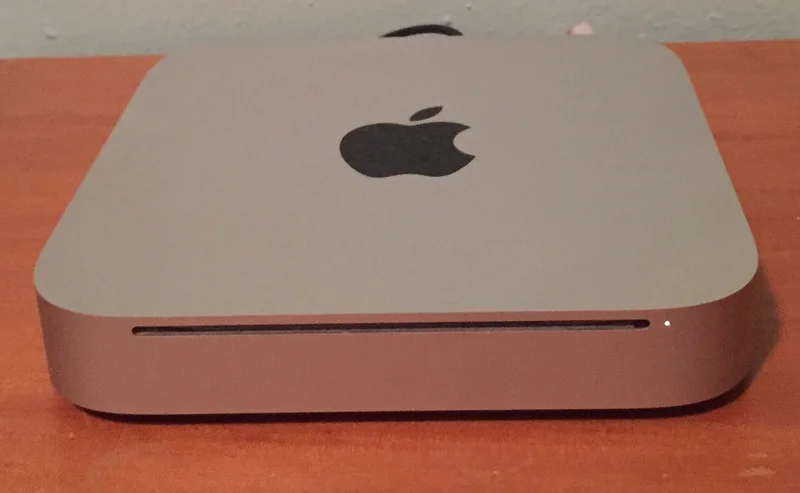
Mac mini (Mid 2011)
Optical drive removed. Added Thunderbolt and HDMI. Much better GPU options.
Apple took the optical drive out of the mini in July 2011, six years after putting one in. The space bought something useful. A server configuration with two internal hard drives and no optical drive at all, aimed at small businesses and anyone running something quietly in a cupboard. Sandy Bridge Core i5 and i7 processors arrived across the range, with the same generational jump in speed and integrated graphics as everywhere else in the lineup that year. HDMI and Thunderbolt both appeared. That made this the first mini that could drive a television with high-definition video and audio down one cable and no adapters, which the home theater people had wanted for years. Losing the drive meant buying an external SuperDrive or borrowing another Mac's over the network. By 2011 most software and most media arrived over the internet anyway, and reviewers treated the removal as sensible rather than provocative. The server model found a small devoted following among developers and small businesses, and the mini kept that role for years. This is where it stopped assuming physical media existed.
Mac History Timeline
Full Specifications
Availability
Processor
Memory
Storage
Display
Graphics
Expansion
Connectivity
Physical
Processor Deep Dive
Intel Core i5 / Core i7 (Sandy Bridge)
IntelThe 2011 Mac mini adopted Intel's dual-core Sandy Bridge Core i5 and i7 processors running from 2.3GHz to 2.7GHz, bringing the same major architectural improvements in integrated graphics and per-core efficiency seen across the rest of Apple's 2011 lineup to its smallest desktop. Higher-end configurations paired the CPU with AMD Radeon HD 6630M discrete graphics, a notable upgrade for a machine historically limited by weak integrated graphics options. Compared to similarly priced small-form-factor PCs of the era, the Sandy Bridge mini offered a strong balance of compact size and genuine everyday performance. This generation cemented Sandy Bridge as the architecture that brought the Mac mini fully into modern computing relevance.
Compatible Operating Systems

Mac OS X 10.7 Lion
Launch OS2011
Shipped running Lion 10.7, including a dedicated Mac mini Server model running Lion Server.

OS X 10.9 Mavericks
Compatible2013
Ran well thanks to Sandy Bridge's solid efficiency and performance.

OS X 10.12 Sierra
Compatible2016
Officially supported on this generation.

OS X 10.13 High Sierra
Max Supported2017
Widely cited as the official maximum supported release for this Mac mini generation.
Reviews & Reception
Well reviewed as a forward-thinking update, with the dropped optical drive seen as a reasonable tradeoff for improved connectivity and performance.
Losing the optical drive stings a little, but Thunderbolt, HDMI, and Sandy Bridge make this the most capable mini yet.
The dedicated server configuration with dual hard drives is a smart, overdue option for small businesses and hobbyists alike.
HDMI out finally makes this a no-brainer choice for a home theater setup, no adapters required.
A sensible, forward-looking update, even if some users will miss having a built-in disc drive.